How to Make a Printable Grocery Budget Worksheet
Food is one of the few budget lines you can change a little bit every single week. That makes it a great place to practice. A simple grocery budget worksheet, printed and hung where you can see it, gives that practice a home.
A grocery budget worksheet is one page that holds your food plan for the week. It shows how much you can spend, what meals you plan to make, what you need to buy, and how much you have spent so far. Because it is on paper, it is always there on the fridge or clipboard, with no app to open or password to remember. Many families find that a printed grocery budget worksheet keeps everyone on the same page, literally.
In this guide, you will design your own worksheet from scratch, section by section. You do not need any design skills. A pen, a ruler, or a basic computer program is enough. Take it one step at a time, and expect your first version to change once you use it.

Give Your Grocery Money a Clear Plan
Download the free Money Reset Workbook to set your food budget and connect it to the rest of your monthly plan.
Get the Free WorkbookDecide what your worksheet needs to do
Before you draw a single line, think about your biggest grocery problem. Do you overspend on extra trips? Do you forget what is already in the pantry? Do you buy food that goes bad before you use it?
Your answer tells you which sections matter most. A worksheet built around your real problem will get used. One copied from someone else may not.
Keep the goal small at first. One page, one week, one clear spending limit.
Write down your top one or two grocery problems at the top of a blank page.
Pick a simple tool to build it
You can draw your worksheet by hand and make copies. You can also build it in a free word processor or a spreadsheet program, then print as many as you need. A spreadsheet is handy if you like boxes and straight lines.
Use a regular letter-size page so it fits any printer. Leave wide margins so nothing gets cut off. Large, clear headings make it easy to read at a glance.
If you like having ready-made pages to start from, these printable money planners can give you layout ideas.
Choose whether you will hand-draw your worksheet or make it on a computer.

Keep a Little Motivation in the Kitchen
Premier Print Works creates quality prints, mugs, and shirts for home cooks on a budget. Find a small reminder to stick to the plan.
Visit Premier Print WorksPut your spending limit at the top
The first box on your page should hold your weekly grocery limit. This is the number you are trying to stay under. Seeing it first sets the tone for everything below it.
To find it, start with your monthly food budget. Here is an example with made-up numbers. If your monthly grocery budget is $600, you could set a weekly limit of $140. Four weeks at $140 is $560, which leaves $40 for the extra days most months have.
Add a second small box for the week’s dates and a third for any money left over from last week.
Work out your weekly grocery limit and write it in a big box at the top of the page.
“A plan on paper is easier to follow than a plan in your head.”
Add a small weekly meal plan
Below the limit, add a grid with the seven days of the week. Give each day a line for dinner. If you like, add lines for breakfast and lunch too, but dinner is often enough to start.
Planning meals before you shop is one of the best ways to cut waste. When you know what you will cook, you only buy what you need.
Leave one night open as a leftovers night. It gives you flexibility and helps clear the fridge.
Draw a seven-day dinner grid and mark one night for leftovers.
Plan Your Food Budget in One Place
The free Money Reset Workbook gives you simple pages to set spending limits and track your progress every week.
Get the Free WorkbookInclude a pantry check box
Next to the meal plan, add a short box titled Already Have. Before you write your shopping list, check your fridge, freezer, and cupboards. Write down anything you can use this week.
This step often saves more money than any coupon. It stops you from buying a third jar of something you already own.
Try to build at least one or two meals around what you already have.
Add an Already Have box and fill it in before your next shopping trip.
Make a shopping list with planned and actual prices
The shopping list is the heart of your worksheet. Make three columns: the item, the planned price, and the actual price. Group items by store section, like produce, dairy, meat, and pantry, so your trip moves faster.
Write your best guess for each planned price before you go. Fill in the actual price after you shop. Comparing the two shows you where your guesses are off.
Add the planned prices before you leave home. If the total is over your limit, cross something off now instead of at the register.
Create a shopping list section with columns for item, planned price, and actual price.
Keep a running total for the week
Many people shop more than once a week. A running total box helps you track every trip. Make a small table with a line for each trip, the amount spent, and what is left.
Here is an example with made-up numbers. Your limit is $140. Your first trip costs $52.30, so $87.70 is left. A midweek trip costs $38.75. Your total is now $91.05, and you have $48.95 left for the rest of the week.
Seeing the number shrink in real time can make it easier to skip extra trips. Tracking habits like these habits for tracking spending better build on the same idea.
Add a running total table with lines for each trip and the amount left.
End the page with a short weekly review
Save a small space at the bottom for a quick review. Three questions are enough. Did I stay under my limit? What food went to waste? What will I change next week?
This only takes a few minutes, and it turns each week into a lesson. Over time, your planned prices get more accurate and your waste gets smaller.
If you came in under budget, write down where the extra money will go.
Write three short review questions at the bottom of your worksheet.
Print it and keep it where you will see it
A worksheet only helps if you use it. Print a few weeks of pages at once. Keep them on a clipboard, in a folder, or stuck to the fridge with a magnet.
Bring the current page with you to the store, or snap a photo of it on your phone. Fill in the actual prices right after you shop while the receipt is fresh.
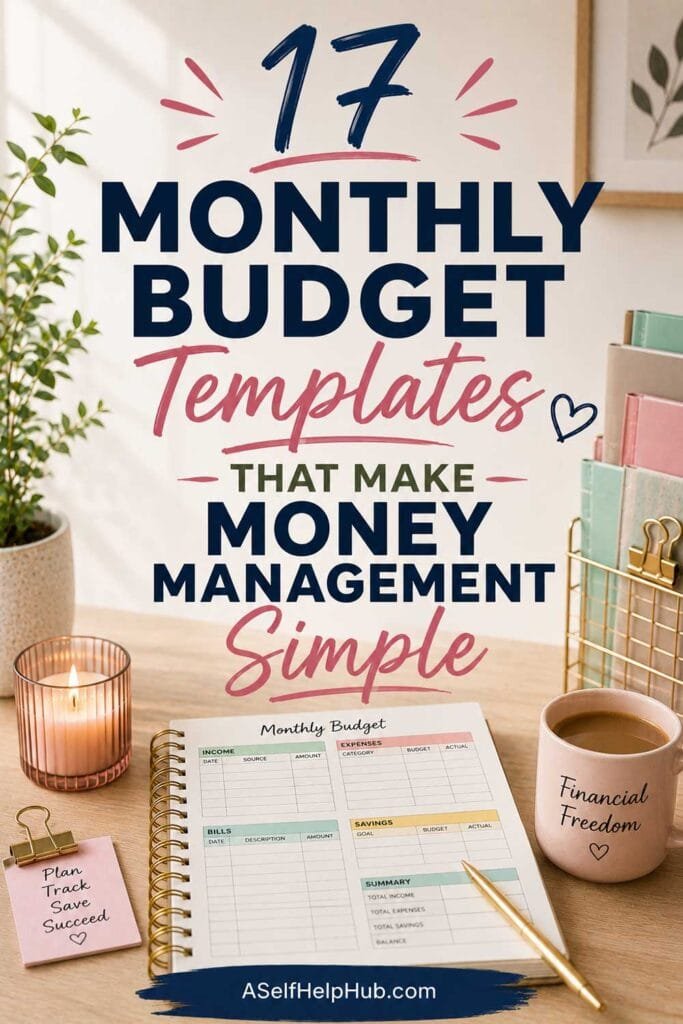
If you share meals with others, show them the page. Everyone can add items to the list instead of making surprise trips. Ready-made layouts like these budget templates for managing money without stress can pair nicely with your grocery page.
Print four copies of your worksheet and put the first one on your fridge.
Adjust your worksheet after the first month
After four weeks, look back at your pages. Which sections did you use every week? Which ones did you skip? Remove what you skipped and make room for what helps.
You may also find that your weekly limit was too tight or too loose. Adjust it based on what you really spent, while still nudging toward your goal.
Your worksheet can grow with you. Some people later add a monthly view, like these easy monthly budget templates, to see food costs next to other bills.
After four weeks, review your pages and update your worksheet design.
Explore Our Top Picks for a Better Life
We have gathered the tools, resources, and products we think are genuinely worth your time, covering mindset, self-care, health, and home. All in one place, hand-picked to support the goals you are working toward.
See Our Top PicksReal Stories, Real Results
Let me share two examples I like to use. Kezia kept making quick trips to the store and could never tell where her grocery money went. She made a one-page worksheet with a running total box and stuck it on the fridge. She told me that seeing the number shrink after each trip helped her cut her extra trips in half.
Daniel tried three different budgeting apps and stopped using all of them. He drew a simple grocery page by hand, with a meal plan and a shopping list, and made copies. He said the paper felt easier because it was always right there. Both of them said the same thing: a simple page you actually use beats a fancy tool you ignore.
One Page on the Fridge Can Change Your Whole Week
Picture opening your fridge and seeing your plan right there. You know what is for dinner, what you need, and how much is left to spend. No guesswork, no extra trips, just a calm week of meals.
Grab a pen tonight and sketch your first worksheet. Download the free Money Reset Workbook to connect your grocery plan to your full budget. Small weekly wins can add up to big changes.
Want Ready-Made Tools to Help You Put This Into Action?
Sometimes the fastest way forward is a tool that someone has already built. Browse our hand-picked resources and downloads, chosen to help you take the next step with less guesswork.
Browse Resources and Downloads
Ready to Take Charge of Your Grocery Bill?
The free Money Reset Workbook helps you see your numbers clearly, so your food budget works for you.
Download Free Now
Brighten Your Kitchen With Encouragement
Premier Print Works makes quality prints, mugs, and shirts for families who plan their meals. Browse the collection and find what speaks to you.
Visit Premier Print WorksDisclaimer
The content on this page is for informational and inspirational purposes only. It is not professional financial, investment, tax, legal, insurance, nutrition, or estate planning advice. The numbers in the examples are made up to show how the math works, and your own grocery costs will differ by household, store, and location. Prices, fees, and account terms vary and change. When planning meals, please keep allergies, dietary needs, and safe food storage in mind, and speak with a doctor or registered dietitian for personal nutrition guidance. Results vary widely from person to person.
The stories of Kezia and Daniel are illustrative composite characters created to bring the content to life. They are not real people. Any resemblance to a real person is purely coincidental.
Some links on this page, including links to Premier Print Works and other resources, are affiliate links. If you make a purchase through one of these links, we may earn a small commission at no extra cost to you. We do not own, produce, or control any affiliate products, and we are not responsible for them — we only own and sell the products offered through our own store, Premier Print Works.
All content on A Self Help Hub is the property of Digital Marketing 215 LLC and is protected by copyright law. No part of this page may be copied, reproduced, republished, distributed, or transmitted in any form without prior written permission from the author.