13 Productivity Tools That Help You Work Smarter
The busiest people are not always the most productive ones. Being busy means filling time with activity. Being productive means moving the things that matter forward with the least possible wasted effort. The gap between the two is often the tools. The wrong tools create friction that multiplies effort without multiplying output. The right tools remove that friction and leave more mental energy for the work itself.
These thirteen tools cover every category of the productive day — from capturing ideas before they disappear to protecting the deep work time that actually moves things forward. You do not need all thirteen. You need the ones that address the specific friction points in your current workflow. Find those. Start there. The right tool in the right hands changes everything about what is possible in a day.
Free Download: The 9 Daily Habits Checklist
Productivity tools work best when they are built into consistent daily habits that hold the workflow in place. The free 9 Daily Habits Checklist gives you nine proven daily practices to build the consistent foundation that smart work requires. Download it free today.
Get the Free Habits Checklist1. A Daily Priority List of Three
“Efficiency is not about doing more — it is about doing the right things with less wasted effort.”
The to-do list with twenty items is not a productivity tool. It is a source of overwhelm that produces decision fatigue before any work has begun. The daily priority list of three is the replacement. Three things — and only three — that must happen today for the day to count as productive. Not the full task inventory. The three most important actions available in the current day.
Write them at the start of every day before the inbox, before the messages, before any reactive task has redirected the attention. Put the most important one first. Protect time for it before anything else claims the slot. The daily priority list of three is the simplest, most durable productivity tool available. It works in a notebook. It works on a sticky note. It works in an app. The format is irrelevant. The discipline of limiting to three and doing the most important one first is the whole value.
“The right tool in the right hands changes everything about what is possible in a day.”
2. Time Blocking
“Efficiency is not about doing more — it is about doing the right things with less wasted effort.”
Time blocking is the practice of scheduling specific work into specific calendar slots rather than working from a task list and hoping the important things get done whenever there is time. The unblocked day fills with reactive work. The blocked day has protected time for the important work before the reactive demands arrive.
Block time for the most important work before anything else gets scheduled. The deep creative work. The project that keeps getting pushed. The task that requires sustained focus that the reactive day never produces. Treat the blocked time with the same immovability as an external appointment. Do not let the email waiting or the Slack notification or the unscheduled colleague conversation take the blocked hour. The blocked hour is the hour the important work gets done. Every other hour serves everything else.
“The right tool in the right hands changes everything about what is possible in a day.”
3. A Weekly Review Practice
“Efficiency is not about doing more — it is about doing the right things with less wasted effort.”
The week without a weekly review is the week that drifts into the next one carrying the open loops, the uncompleted items, and the undone commitments that accumulate without a deliberate close. The weekly review is the practice that closes the previous week and opens the next one with intention — capturing everything that needs to be captured, clarifying what matters most in the coming week, and clearing the mental clutter that unfocused work leaves behind.
Thirty minutes at the end of each week. Review every active project and commitment. Capture everything that came up during the week that has not yet been processed. Decide on the three most important things to accomplish in the coming week. Set the calendar blocks for the work that matters most. The weekly review is not glamorous. It is the maintenance that makes the rest of the week’s tools more effective. Without it even the best daily tools gradually drift toward the reactive.
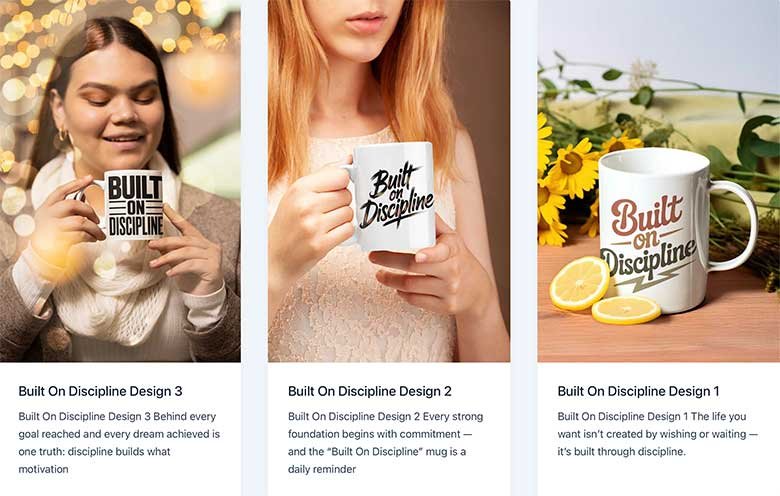
Visit Premier Print Works
Keep the reminder that efficiency is about doing the right things with less wasted effort visible where your daily work happens. Premier Print Works offers prints, mugs, and art for the person who is building the workflow that actually moves what matters forward. Visit the shop today.
Visit Premier Print WorksHow Dag Stopped Feeling Busy and Started Feeling Productive by Adding One Tool to His Morning
Dag was genuinely busy. His task list was always full. His calendar was packed. He was in motion from the moment the day started until the moment he stopped. And at the end of most days he had a nagging sense that despite all the activity he had not actually moved the most important things forward. The busy had consumed the productive and he could not easily identify how or where.
He tried the daily priority list of three. Before opening the email. Before checking the messages. Before any reactive task had the chance to set the agenda. He wrote three things — the three most important actions available for that specific day — on a small piece of paper and put it on the desk where he would see it throughout the day.
The first week he noticed that two of his three priorities were consistently getting done and one was consistently not. The consistently incomplete one was always the first item — the most important thing — because the reactive work of the day was reliably expanding to fill the time before it could get addressed. He moved the most important item to the first hour of the day before any reactive work had been engaged. It started getting done. Within three weeks all three priorities were consistently completed most days. The total volume of tasks completed per day did not change much. The value of what got completed changed dramatically. He had not become more capable. He had become more intentional about which three things got the focused effort each day. That was the whole shift.
4. A Capture Tool for Every Idea and Task That Appears During the Day
“The right tool in the right hands changes everything about what is possible in a day.”
The productive mind is a clear mind. The mind carrying ten half-processed ideas and several items that should have been written down but were not is not available for the focused work that produces the best output. The cognitive load of trying to hold things in working memory rather than trusting a reliable external capture system is one of the most expensive productivity costs most knowledge workers carry without knowing it.
Pick one capture tool and use it exclusively. A single notebook carried everywhere. A specific app on the phone. A voice memo for when the hands are occupied. The specific tool matters less than the consistency. Every idea, task, commitment, or thing-to-remember goes immediately into the capture tool rather than into working memory. The capture tool is processed at least once a day — items sorted, acted on, or filed. The clear mind that results from a trusted capture system is the mind that does its best work on the things that deserve its full attention.
“Efficiency is not about doing more — it is about doing the right things with less wasted effort.”
5. The Pomodoro Technique for Deep Work Sessions
“The right tool in the right hands changes everything about what is possible in a day.”
The Pomodoro Technique is a time management method built around twenty-five minute focused work intervals followed by five minute breaks. After four intervals a longer break of fifteen to thirty minutes follows. The structure addresses two of the most common deep work challenges — the difficulty of sustaining focus for long uninterrupted stretches and the difficulty of knowing when to take the breaks that restore the focus.
The twenty-five minute interval is short enough to make starting feel manageable even on the low-motivation days. The timer creates a container that makes the work feel finite rather than open-ended. The built-in break removes the guilt of stepping away because the break was planned. The technique works particularly well for creative work, writing, coding, studying, or any task that requires sustained single-threaded focus. Start a timer. Work until it ends. Break when it says to. The simplicity is the whole design.
“Efficiency is not about doing more — it is about doing the right things with less wasted effort.”

Free Download: The 7-Day Life Reset
Building a smarter workflow starts with a smarter daily structure. The free 7-Day Life Reset gives you seven simple focused days to reset your daily habits and begin building the intentional daily foundation that productive work requires. Download it free today.
Get the Free 7-Day Reset6. A Distraction Blocker for Deep Work Hours
“The right tool in the right hands changes everything about what is possible in a day.”
Willpower is a poor defense against a phone that buzzes and a browser with infinite scroll and a notification system designed by some of the world’s most sophisticated attention engineers. The deep work that produces the best output requires a distraction-free environment that willpower alone cannot reliably create. The distraction blocker creates it structurally so that willpower is not the last line of defense.
Apps like Freedom, Cold Turkey, or the built-in focus modes on most phones and computers allow the blocking of specific websites and apps during defined time windows. During the deep work block the distractions are not available. The phone does not notify. The social media does not load. The news does not refresh. The work is the only available option. The quality of the work produced in a genuinely distraction-free hour is consistently higher than anything produced in four hours of interrupted pseudo-focus. Block the distractions. Protect the deep work. The output difference will be immediately visible.
“Efficiency is not about doing more — it is about doing the right things with less wasted effort.”
7. A Project Management Tool for Anything With More Than Three Steps
“The right tool in the right hands changes everything about what is possible in a day.”
Any project that has more than three steps and more than one person involved will produce confusion without a shared system for tracking what has been done, what is in progress, and what is waiting. The confusion costs time in the form of duplicate work, missed handoffs, unclear ownership, and meetings whose only purpose is to establish what should have been visible in a shared tool.
Trello, Asana, Notion, and ClickUp are four commonly used project management tools that range from simple to comprehensive. The right one is the simplest one that handles the actual complexity of what you are managing. A simple Kanban board with three columns — to do, in progress, done — handles most individual and small-team project work adequately. Add complexity only when the simple version is genuinely insufficient. The project management tool that gets used consistently is worth significantly more than the sophisticated one that is too complex to maintain.
“The right tool in the right hands changes everything about what is possible in a day.”

Building Productive Habits Through Recovery? This Is for You.
For some people, building the focused productive daily life is happening alongside the work of sobriety. If that is where you are, the free Sober Survival Guide offers honest daily support for the person doing both kinds of building at once. Download it free.
Get the Free Sober Survival Guide8. A Note-Taking System That Actually Gets Reviewed
“Efficiency is not about doing more — it is about doing the right things with less wasted effort.”
Notes taken and never reviewed are not a productivity tool. They are a comfort ritual that produces the feeling of capturing information without producing the value of being able to retrieve and use it. The note-taking system that actually works is one simple enough to maintain consistently and organized enough that the right note can be found when it is needed.
The specific tool matters less than the review habit. Notion, Obsidian, Apple Notes, a physical notebook — any of these works if the notes are reviewed and processed regularly. A quick review at the end of each week — ten minutes to scan what was captured, highlight what is still relevant, discard what is not — is the habit that separates the notes that accumulate into a useful reference system from the notes that accumulate into a digital pile that never gets opened again. Take the notes. Review them. Use them. That is the whole system.
“Efficiency is not about doing more — it is about doing the right things with less wasted effort.”
9. Templates for Recurring Work
“The right tool in the right hands changes everything about what is possible in a day.”
Every recurring task that requires you to start from scratch is costing more time and mental energy than it should. The weekly team update written from zero every week. The client email re-composed from scratch every time. The project kickoff document rebuilt from the beginning for every new project. These are templates waiting to be built — once — so that every subsequent version starts from a solid foundation instead of a blank page.
Identify your three most frequently recurring written tasks and build a template for each one. The template does not remove the thinking from the task. It removes the structural work that precedes the thinking — the setup, the formatting, the standard sections that are identical every time. Starting from a good template for a recurring task typically cuts the time required by forty to sixty percent. Build the template once. Use it every time. Let the saved time and mental energy go toward the work that cannot be templated.
“Efficiency is not about doing more — it is about doing the right things with less wasted effort.”
10. A Trusted Task Manager
“The right tool in the right hands changes everything about what is possible in a day.”
A trusted task manager is the system that holds everything that needs to be done so the mind does not have to. Not a to-do list that lives in your head and produces the low-level anxiety of trying to remember it. A reliable external system where every commitment is captured, organized, and available to be found at the right time. The trust comes from the completeness — knowing that everything is in there so nothing important is being forgotten.
Todoist, Things, OmniFocus, and Microsoft To Do are four well-regarded options ranging from simple to comprehensive. The right task manager is the one you will actually use consistently. Start simple. A basic system used daily beats a sophisticated one opened weekly. The tasks go in. The contexts are assigned. The due dates are set. The daily review identifies what is most important today. The system does the remembering. The mind does the work.
“The right tool in the right hands changes everything about what is possible in a day.”
11. Batch Processing for Similar Tasks
“Efficiency is not about doing more — it is about doing the right things with less wasted effort.”
Context switching costs time and mental energy that most people dramatically underestimate. Moving from a creative writing task to an administrative email to a strategic decision to a phone call and back to creative writing is not efficient multitasking. It is the expensive process of loading and unloading mental contexts that takes real time and produces diminished output in each context compared to sustained focus within one.
Batch similar tasks together into dedicated time windows. Email in two defined windows per day rather than checked continuously. Phone calls back to back rather than scattered through the calendar. Administrative work batched into one focused session. Creative work in uninterrupted blocks with nothing similar in adjacent slots. The batching reduces the context switching cost and allows each type of work to benefit from the momentum that sustained focus in a single context produces. Group the like things. Do them together. Move to the next group with intention rather than jumping between categories reactively.
“Efficiency is not about doing more — it is about doing the right things with less wasted effort.”
12. Automation for Repetitive Low-Value Tasks
“The right tool in the right hands changes everything about what is possible in a day.”
Every repetitive low-value task that can be automated is a task that permanently returns its time to the work that actually matters. The email that can be filtered and sorted automatically. The social media post that can be scheduled in advance. The file that can be moved automatically when certain conditions are met. The recurring report that can be generated by a script rather than assembled manually. These automations require upfront time to build. They pay for themselves many times over in the time they return permanently.
Tools like Zapier, Make, and IFTTT allow non-technical users to build automations between apps without writing code. Email automation through Gmail filters. Calendar automation through scheduling tools like Calendly. Social media scheduling through Buffer or Later. Start with the single most repetitive task in your current workflow and build the simplest automation that handles it. Then look for the next one. The time recovered from well-designed automation is time that goes back to the work that cannot be automated — the creative thinking, the strategic decisions, the human connection that no tool can replace.
“Efficiency is not about doing more — it is about doing the right things with less wasted effort.”
13. A Shutdown Ritual That Ends the Work Day Cleanly
“The right tool in the right hands changes everything about what is possible in a day.”
The work day that never clearly ends is the work day that follows you into the evening and disrupts the recovery that tomorrow’s productivity depends on. The mind that never receives the signal that work is done stays in low-level work mode — processing, worrying, planning — through the hours that were supposed to be genuine rest. The shutdown ritual is the signal. It tells the brain clearly that the work is done and the recovery can begin.
A shutdown ritual takes five to ten minutes. Review the task list and confirm that everything for today is either done or deliberately carried forward. Write the three priorities for tomorrow. Confirm the calendar is clear. Say aloud — or write — shutdown complete. The spoken or written declaration is not performative. It is the cognitive cue that closes the work context. After the shutdown is complete the work is done. Not available. Done. The evening that follows belongs to the rest and recovery that makes tomorrow’s work possible. Protect it the same way you protect the deep work hours. Both matter equally for what the next day can produce.
“The right tool in the right hands changes everything about what is possible in a day.”
How Mireille Cut Her Work Hours and Increased Her Output by Rebuilding Her Workflow Around Three Tools
Mireille was working more hours than anyone in her organization and producing results that were solid but not exceptional. She had no obvious inefficiencies. She was disciplined. She worked without obvious time wasting. But the hours kept expanding to meet the work and the work was never fully caught up and the most important projects kept getting pushed by the reactive demands that filled the day.
A productivity coach she worked with for one month identified three specific friction points. She had no reliable capture system, which meant ideas and tasks lived in her head creating cognitive load that reduced the quality of her focused work. She had no protected deep work time, which meant her most important work was getting done in the scattered minutes between reactive demands rather than in sustained focused blocks. And she had no shutdown ritual, which meant the work followed her home and disrupted the sleep and recovery that the next day’s performance depended on.
She addressed all three. A single notebook for capture, reviewed every evening. Two blocked hours every morning before any email or messages were engaged — completely distraction-blocked, used for the highest-value work. A ten-minute shutdown ritual every day that included writing the next day’s three priorities. Within six weeks her most important project — the one that had been stalling for four months — was completed. Her hours had not increased. They had decreased slightly because the evening work that had been bleeding into her personal time had stopped. The output per hour had increased because the focused time was genuinely focused. She had not found more hours. She had found better ones.
Find the Tools That Address Your Specific Friction and Let Them Do the Rest
You do not need all thirteen tools. You need the ones that address the friction points where your current workflow loses time and momentum. The idea that disappears before it gets captured. The important work that keeps getting pushed by the reactive day. The deep work session that keeps getting interrupted. The work that follows you into the evening because there is no clear signal that it is done. Find your friction points. Apply the right tools. Work smarter. The right tool in the right hands changes everything about what is possible in a day.

Free Download: The 9 Daily Habits Checklist
Keep the smarter workflow running with the daily habits that hold the structure in place. The free 9 Daily Habits Checklist gives you nine proven daily practices to keep the most important productivity habits consistent week after week. Download it free today.
Get the Free Habits ChecklistOur Top Picks for a Better Life
We have gathered our favorite tools, resources, and recommendations for working smarter, building a more productive daily workflow, and developing the habits that move the important things forward without burning out in the process. Everything we trust enough to share, all in one place.
See Our Top Picks
Productivity Prints at Premier Print Works
Keep the reminder that the right tool in the right hands changes everything about what is possible in a day visible where your daily work happens. Visit Premier Print Works for prints, mugs, and art for the person building the workflow that actually works.
Visit Premier Print WorksDisclaimer
The content on A Self Help Hub is for informational and inspirational purposes only. The productivity tool descriptions and personal stories in this article offer general guidance for everyday work habits and personal productivity. They are not professional business consulting, organizational management advice, or any form of clinical treatment.
Everyone’s work environment, role, and productivity needs are different. The tools and approaches described here are general suggestions that may not be appropriate for every workplace or individual situation. Before implementing significant changes to workplace workflows or team processes, consider consulting with a qualified professional or your organization’s relevant teams.
Third-party tools and applications mentioned in this article (including but not limited to Trello, Asana, Notion, Todoist, Freedom, Zapier, and others) are provided as examples only. A Self Help Hub does not endorse any specific commercial product and the availability, pricing, and features of these tools may have changed since this article was written. Please verify current information directly with the tool providers before making any purchase decisions.
The stories and composite characters in this article, including Dag and Mireille, are illustrative. They are based on common experiences and created to make the content relatable. They are not real people. Any resemblance to a specific person is coincidental.
Some links on this site, including links to Premier Print Works, may be affiliate links. A Self Help Hub may earn a small commission at no extra cost to you. We only recommend things we genuinely believe in.
The Sober Survival Guide linked in this article is general supportive information only. It is not a substitute for professional addiction treatment or medical care. If you or someone you love is struggling with addiction, please seek help from a qualified professional. Recovery is possible.
If you are in a mental health crisis or thinking about self-harm, please do not rely on this content for support. Contact emergency services or a crisis helpline right away. You deserve real help and it is available to you now.
All content on A Self Help Hub is copyrighted. You may not copy or republish it without written permission. By reading this article you agree to this disclaimer.