How to Turn a Useful Spreadsheet Into a Digital Product
It is a quiet evening, and a friend is looking over your shoulder at your laptop. On the screen is the budget sheet you built for your own family, with color-coded categories and totals that update on their own. Your friend asks if they can have a copy.
Moments like that make many people wonder whether they could turn a spreadsheet into a digital product. A digital product is something people buy and download, like a template, planner, or tracker. If your sheet solves a real problem, other people may find it useful too.
This guide shares general ideas for testing, polishing, and offering a spreadsheet as a product. It is general information, not advice, and income from digital products is never guaranteed. It is written with the United States in mind where it mentions taxes. Take it one step at a time.
Plan How Side Income Fits Your Life
Download the free Money Reset Workbook and map out your income, costs, and goals in one place.
Get the Free WorkbookAsk what problem your spreadsheet solves
A useful product usually solves one clear problem. Maybe your sheet tracks bills, plans meals, counts down debt, or organizes a small business. Writing that problem in one sentence can help you see its value.
Think about who would want it. A busy parent, a new freelancer, or someone starting their first budget may each need something different.
The clearer the problem and the person, the easier it is to describe the product later. Some people also jot down three words a buyer might type when searching for a tool like theirs.
Write one sentence about the problem your spreadsheet solves and who it is for.
Make sure the content is fully yours
Before offering anything for sale, it helps to check that every part of it is your own work. Templates you downloaded, formulas copied from a paid course, or images you found online may belong to someone else.
If you built on a free template, read its terms. Some allow personal use only. Others allow changes and sharing. Respecting copyright and terms protects you and the original creator.
Using simple, original designs and your own wording keeps things clean.
Go through your sheet and note anything you did not create yourself.

A Reminder for Creative Builders
Premier Print Works makes quality prints, mugs, and shirts for people turning ideas into something real. Find one that inspires you.
Visit Premier Print WorksTest the idea before putting in lots of time
A quick test can show whether people are interested. You might share a simple version with a few friends or a small group and ask for honest feedback.
Questions like these can help. Was it easy to use? What was confusing? Would you pay for it? What would make it better?
Small tests save time. They also give you ideas you might not have thought of. For related reading, see comparing side hustles by startup cost.
Share a simple version with three people and write down their feedback.
“The tool that makes your life easier might make someone else’s easier too.”
Clean up the design and remove personal details
Your own sheet may have your real numbers, names, or notes in it. Before sharing, remove anything personal and replace it with clear sample data or blank cells.
Simple design choices help a lot. Consistent colors, clear headings, enough space, and easy-to-read fonts can make a sheet feel more polished.
Locking formula cells can prevent buyers from breaking them by accident. Most spreadsheet programs have a protect or lock option. A quick test by a friend can show whether anything still breaks too easily.
Make a clean copy of your sheet with sample data and no personal details.
Track Your Side Project Numbers
The free Money Reset Workbook gives you a page to track what you earn and what you spend.
Get the Free WorkbookWrite simple instructions
Many buyers are not spreadsheet experts. A short how-to page inside the file, or a one-page guide, can make your product much easier to use.
Explain where to type, what each tab does, and how the totals work. Screenshots with arrows can help visual learners.
Clear instructions can also lower the number of questions you get later. For related reading, see making a printable monthly budget planner.
Write a short how-to page that a beginner could follow.
Think about which programs it works in
Spreadsheets can look and act a little different in different programs. A formula that works in one may need a small change in another.
Testing your file in the programs your buyers are likely to use can prevent surprises. Some creators offer more than one version.
Mentioning which programs the file was tested in helps buyers know what to expect. Some creators also note whether the sheet works on a phone or only on a computer.
Open your sheet in at least two spreadsheet programs and note any problems.
Choose a simple starter price
Looking at similar templates can give you a sense of common price ranges. Many creators start with a modest price and adjust as they get feedback.
Here is an example with made-up numbers. Say you price your template at $8, and the selling platform keeps $1.50 per sale in fees. You would keep $6.50 per sale. If you sold 20 copies in a month, that would be $130 before taxes.
Sales can be slow at first, and some months may bring none. Thinking of it as a small side project can keep expectations steady. Another place to look is earning extra money without buying a course.
Look at a few similar products and write down a starter price for yours.
Decide where and how to offer it
There are many ways to offer a digital product, from online marketplaces to your own website or email list. Each has different fees, rules, and audiences.
Reading each option’s terms can help you understand fees, refunds, and what you are allowed to sell. Comparing a few can help you choose what fits you.
A clear title, a short description of the problem it solves, and a few screenshots can help people understand what they are buying. Starting with one place and learning how it works before adding another can keep things simple.
Compare the fees and rules for two places you might offer your product.
Keep records and set aside money for taxes
Tracking sales and costs from the start makes things easier later. A simple sheet with the date, amount, fees, and platform can be enough.
In the United States, income from selling digital products is usually taxable. Rules vary, so a tax professional or a free tax help program can explain what applies to you. Many sellers set aside a portion of each payment.
For related reading, see tracking side hustle income and expenses.
Set up a simple tracker for sales, fees, and money set aside for taxes.
Listen to buyers and improve over time
After a few people buy, their questions and reviews can show what to improve. Maybe a tab needs clearer labels, or a new feature would help.
Updating your product and letting past buyers know can build trust. Some creators make related products later, like a version for couples or for small businesses. A short thank-you note in the file can also make buyers feel welcome.
Going slowly and learning as you go can make the project feel manageable alongside everything else in your life.
Make a list of feedback you receive and pick one improvement to try.
Explore Our Top Picks for a Better Life
We have gathered the tools, resources, and products we think are genuinely worth your time, covering mindset, self-care, health, and home. All in one place, hand-picked to support the goals you are working toward.
See Our Top PicksReal Stories, Real Results
Let me share two examples I like to use. Amara built a meal planning sheet for her family and shared it with a few friends. They loved it but found one tab confusing, so she added simple instructions and cleaned up the design. She told me that her first few sales felt amazing, even though the money was small at first.
Joel made a bill tracker for himself and decided to offer it online. Before listing it, he removed his personal numbers, locked the formulas, and tested it in two programs. He kept a simple record of every sale from day one. Both of them said the same thing: testing and polishing first made the whole process feel less risky.
A Helpful Tool That Keeps on Helping
Picture someone you have never met opening your spreadsheet and finally feeling organized. The tool you built for yourself is now helping others. It started as a small idea, and it grew one careful step at a time.
If this idea interests you, you might start by writing down the problem your sheet solves. Download the free Money Reset Workbook to plan how side income could fit your budget. Small ideas can grow.
Want Ready-Made Tools to Help You Put This Into Action?
Sometimes the fastest way forward is a tool that someone has already built. Browse our hand-picked resources and downloads, chosen to help you take the next step with less guesswork.
Browse Resources and Downloads
Ready to Share Your Idea?
The free Money Reset Workbook helps you plan side income with less stress.
Download Free Now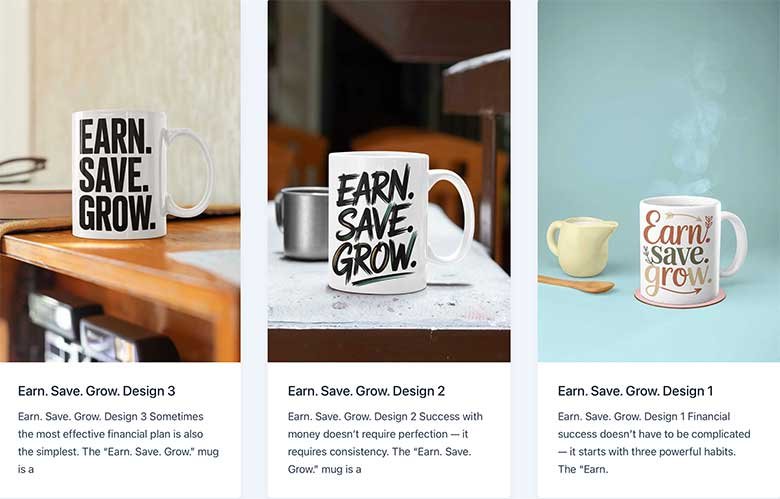
For the Spreadsheet Lover
Premier Print Works offers prints, mugs, and shirts for people who love a well-organized plan. Browse the collection today.
Visit Premier Print WorksDisclaimer
The content on this page is for informational and inspirational purposes only. It is not professional financial, investment, tax, legal, insurance, or estate planning advice. This guide is written with the United States in mind where it mentions taxes. Income from digital products is not guaranteed. Tax rules, platform fees, and terms of use vary and change, so please read each platform’s terms and talk with a qualified tax or legal professional about your situation. Please respect copyright and the terms of any templates or images you use. The numbers in the example are made up to show how the math works. Results vary widely from person to person.
I am not a financial advisor, and I am not a licensed tax, legal, or investment professional. I share this information to help people learn about money and see new options. Please treat it as general information only, and talk with a qualified professional about your own situation before making financial decisions.
The stories of Amara and Joel are illustrative composite characters created to bring the content to life. They are not real people. Any resemblance to a real person is purely coincidental.
Some links on this page, including links to Premier Print Works and other resources, are affiliate links. If you make a purchase through one of these links, we may earn a small commission at no extra cost to you. We do not own, produce, or control any affiliate products, and we are not responsible for them — we only own and sell the products offered through our own store, Premier Print Works.
All content on A Self Help Hub is the property of Digital Marketing 215 LLC and is protected by copyright law. No part of this page may be copied, reproduced, republished, distributed, or transmitted in any form without prior written permission from the author.