Protecting Private Information When Using AI Tools: What Not to Paste In
How often do you copy a block of text and paste it somewhere without a second look? Most of us do it all day. An email, a client note, a list of names. With AI tools, that quick habit can carry details farther than you meant.
Private information and AI tools are worth thinking about together, especially when the work involves clients. Each tool has its own rules about what happens to the things people type in, and those rules vary and may change. No tool can be counted on to keep information private or safe, so many people simply choose to leave sensitive details out.
This guide shares general ideas about what people often keep out of AI tools and how to work around it. It is not legal or technical advice, and it is not a set of instructions. Take it one section at a time and keep what fits your own work.

Keep Your Work and Money Organized
Download the free Money Reset Workbook and get simple pages to track your side work and costs in one calm place.
Get the Free WorkbookTreat every tool box like a public space
One simple way to think about it is to treat a tool’s text box like a crowded room. Would you read this out loud there? If not, it may be better left out.
This view does not mean every tool shares what you type. It simply means you cannot always know what happens next, and rules can change.
A cautious habit costs little and can prevent big problems.
Before pasting anything into a tool, pause and ask whether you would read it out loud in a crowded room.
Account numbers, passwords, and login codes
Bank account numbers, card numbers, passwords, and one-time login codes are high on the list of things many people never type into an AI tool. These details can give someone access to money or accounts.
If a task involves these details, you can use fake placeholders instead. For example, write ACCOUNT NUMBER HERE in place of the real one.
The tool does not need real numbers to help draft a letter or a form.
Write a short list of placeholder words you can use in place of real account details.
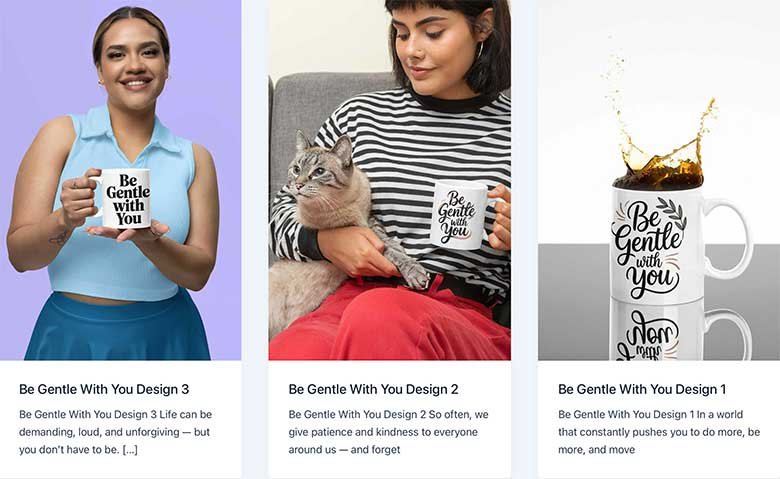
Keep a Small Reminder in Plain Sight
Premier Print Works creates quality prints, mugs, and shirts for thoughtful, thrifty people. Find a small reminder of what you are working toward.
Visit Premier Print WorksSocial Security numbers and ID details
Social Security numbers, driver’s license numbers, and passport details are also on the leave-out list for many people. These can be used for identity theft.
Even a partial number can be risky when combined with a name and address. Keeping these out entirely is a simple rule some people follow.
If a client sends you a document with these details, you can remove or black them out before using any tool.
Check any document for ID numbers before using a tool on it, and remove them if you find any.
“If you would not say it in a crowded room, it can wait outside the tool.”
Health details and other sensitive personal facts
Health information, family troubles, legal issues, and other sensitive facts about real people deserve extra care. This applies to your own details and especially to other people’s.
If a task touches these topics, you can describe the situation in general terms without names or specifics. A tool can still help with tone or structure.
People trust you with their stories. Protecting those stories is part of honest work.
Rewrite one sensitive example in general words, with no names or personal details.

Track Your Side Work With Care
The free Money Reset Workbook gives you a clear page to note jobs and earnings without needing any private details.
Get the Free WorkbookClient names, contact lists, and business secrets
Clients may share customer lists, prices, plans, or internal notes with you. Many clients expect these to stay between you and them. Pasting them into a tool may break their trust or an agreement.
One option is to ask clients upfront what they are comfortable with. Another is to swap real names for fake ones before using a tool. For related reading, see money strategies for small business owners.
When in doubt, leaving business details out is the cautious choice.
Ask your next client what information they are comfortable having in AI tools.
Swap real details for made-up ones
A simple habit is to replace real details with made-up ones before using a tool. Change names to Person A and Person B, swap the town for Sample City, and turn exact amounts into round, fake numbers.
Once the tool produces a draft, you can add the real details back in yourself, offline. This keeps the sensitive parts in your hands.
It takes a few extra minutes, and many people find the peace of mind worth it. You may also like money tips for freelancers.
Practice swapping real details for fake ones on a short piece of text.
Read the tool’s current rules
Each tool has terms about what happens to information people enter. Some may keep it, review it, or use it in other ways. These terms vary and can change at any time.
Reading the current terms before using a tool for client work is a calm habit. If the terms are hard to understand, a qualified professional can explain them.
Some tools let users change certain settings, and those settings can change too. Checking them now and then is worth the time.
Find the information rules for one AI tool you use and note anything that surprises you.
Keep your own files tidy and protected
Privacy is not only about tools. Client files on your computer, phone, or email also need care. Strong passwords, a locked screen, and deleting old files you no longer need can all help.
Keeping fewer copies of sensitive files means fewer places for things to go wrong. Another place to look is common money mistakes people try to avoid.
Local rules about handling personal information vary. A qualified professional can explain what applies to your work.
Delete one old client file you no longer need, if your agreement allows it.
What to do if you pasted something by mistake
Mistakes happen. If you realize you entered sensitive information, try not to panic. Check whether the tool allows you to delete that conversation or entry.
If the details were financial, you might contact your bank or card company to ask about steps they suggest. If a client’s information was involved, an honest note to the client may be the right thing to do.
Learning from the slip and adjusting your routine can help prevent it next time. See also ways to earn online with simple skills.
Write down the steps you would take if you pasted private details by mistake.
Explore Our Top Picks for a Better Life
We have gathered the tools, resources, and products we think are genuinely worth your time, covering mindset, self-care, health, and home. All in one place, hand-picked to support the goals you are working toward.
See Our Top PicksReal Stories, Real Results
Let me share two examples I like to use. Kezia used an AI tool to help write letters for a small business client. She almost pasted in the full customer list. She stopped, swapped every name for Customer A and Customer B, and added the real names back later. She told me that the small habit now feels natural.
Daniel once pasted a client email that included a phone number and home address. He felt uneasy and told the client right away. He said the client appreciated his honesty, and he now checks every paste before he clicks. Both of them said the same thing: a short pause before pasting is worth it.
Working With Tools While Keeping People’s Trust
Picture finishing a project with no worries about where client details ended up. You used tools for the rough work and kept every private detail in your own hands. Your client trusts you, and that trust feels good.
Make your own leave-out list this week. Download the free Money Reset Workbook to keep your work and money organized. Careful habits protect everyone involved.
Want Ready-Made Tools to Help You Put This Into Action?
Sometimes the fastest way forward is a tool that someone has already built. Browse our hand-picked resources and downloads, chosen to help you take the next step with less guesswork.
Browse Resources and Downloads
Ready to Work With More Peace of Mind?
The free Money Reset Workbook helps you see your numbers clearly, so your side work stays steady and organized.
Download Free Now
Fill Your Space With Things You Love
Premier Print Works makes quality prints, mugs, and shirts for people who plan ahead. Browse the collection and find what speaks to you today.
Visit Premier Print WorksDisclaimer
The content on this page is for informational and inspirational purposes only. It is not professional financial, investment, tax, legal, insurance, technical, or estate planning advice. No method can promise that information stays private. AI tools have different rules about the information people enter, and those rules, along with prices, fees, account terms, and privacy laws, vary by place and change often, so please check current information and talk with a qualified professional. Income is not guaranteed. Results vary widely from person to person.
I am not a financial advisor, and I am not a licensed tax, legal, or investment professional. I share this information to help people learn about money and see new options. Please treat it as general information only, and talk with a qualified professional about your own situation before making financial decisions.
The stories of Kezia and Daniel are illustrative composite characters created to bring the content to life. They are not real people. Any resemblance to a real person is purely coincidental.
Some links on this page, including links to Premier Print Works and other resources, are affiliate links. If you make a purchase through one of these links, we may earn a small commission at no extra cost to you. We do not own, produce, or control any affiliate products, and we are not responsible for them — we only own and sell the products offered through our own store, Premier Print Works.
All content on A Self Help Hub is the property of Digital Marketing 215 LLC and is protected by copyright law. No part of this page may be copied, reproduced, republished, distributed, or transmitted in any form without prior written permission from the author.