How to Handle Sales Emails and Social Media Ads During a Spending Reset
Your inbox might be the busiest store you visit all week. It never closes, it knows your size, and it sends a fresh window display every morning. Add the ads that slip between photos from friends, and shopping can follow you everywhere you go.
During a spending reset, sales emails and ads can make the whole effort feel harder than it needs to be. You decide to pause, and then a message says “Last chance” or “Just for you.” That is a lot of pressure for one person to handle. The good news is that you can turn down the volume in simple ways.
This guide walks through small steps for your inbox, your phone, and your social feeds. It also covers how to notice the pull of a message before you act on it. These are general ideas to think about, and they are not advice or instructions. Try one or two at a time and see what fits your life.

Plan a Calmer Spending Reset
Download the free Money Reset Workbook and get simple pages to list your real needs, so sales emails lose their pull.
Get the Free WorkbookNotice how often the messages arrive
A good first step is simply to notice. For one or two days, count how many sales emails land in your inbox. You might also notice how many ads you scroll past in your social apps. Many people are surprised by the number.
For now, just watch. Seeing the count can make it clear why spending urges feel so constant. The pull comes from a steady stream of invitations, far more than from any lack of willpower.
Some people jot the number on a sticky note at the end of each day. That small record can make the next steps feel more worth it.
Count the sales emails you get today and write the number down tonight.
Unsubscribe from a few lists at a time
Most sales emails have an unsubscribe link near the bottom. Clicking it usually takes just a few seconds. You might start with the stores that tempt you most, or the ones you rarely buy from anyway.
There is no need to clear everything in one sitting. Some people unsubscribe from five lists a day while they drink their morning coffee. After a week or two, the inbox can feel much quieter.
Be careful with any email that looks odd or asks for personal details to unsubscribe. If something feels off, you can mark it as spam instead. For related reading, see financial life hacks.
Unsubscribe from five store emails today, starting with the ones that tempt you most.

Keep a Reminder Away From the Screen
Premier Print Works creates quality prints, mugs, and shirts for people who choose calm over clicks. Find a small reminder of your reset.
Visit Premier Print WorksMove the rest into a separate folder
If you want to keep some store emails, a folder can help. Many email programs let you set a filter. You might send any message with words like “sale” or “offer” into a folder called Later.
That way, the emails are still there if you need a coupon for something you already planned to buy. They just stay quiet each time you open your inbox. You get to choose when to look.
Some people check that folder only when they have a real need. Others never check it at all during a reset. Either approach can work.
Create a folder named Later and move today’s store emails into it.
“A quieter inbox can make room for a calmer mind.”
Turn off shopping notifications on your phone
Shopping apps often send alerts about deals, price drops, or items left in your cart. Each little buzz can pull you back into the app. Turning these off in your phone settings can make a big difference.
You can usually find this under the notification settings for each app. Some people go a step further and move shopping apps off the home screen. A small extra tap can create just enough of a pause.
If you like, you could even remove a shopping app for the length of your reset. It is easy to add back later if you choose.
Open your phone settings and turn off alerts for every shopping app.

Track Your Real Needs in One Place
The free Money Reset Workbook gives you a clear page to write down what you truly need, so every deal can be checked against it.
Get the Free WorkbookTune your social feeds
Social media ads often show products you looked at before. Many apps have a small menu on each ad where you can hide it or say you are not interested. Using that option a few times can change what you see.
You might also mute or unfollow accounts that mostly post about buying things. This can include influencers, brand pages, or haul videos. Your feed can become a calmer place filled with friends, hobbies, and ideas.
None of this needs to be permanent. Think of it as a short break while you reset. You may also like savings strategy habits.
Hide three ads and mute two shopping accounts in your favorite social app.
Spot the common pressure words
Many sales messages use the same few phrases. “Only a few left.” “Ends tonight.” “You deserve this.” “Free shipping if you add one more item.” These words are designed to make you feel rushed or special.
When you notice one of these phrases, you might simply name it in your head. “Oh, that is a hurry-up line.” Naming the trick can take away some of its power. It reminds you that the message was written for thousands of people at once.
Some people keep a short list of these phrases on their phone. It can turn ads into a little game of spotting the tactic.
Write down three pressure phrases you see in ads this week.
Ask whether a deal fits a real plan
A sale is only a saving if you were going to buy the item anyway. Before you click, you might ask yourself, “Was this on my list before I saw the email?” If the answer is no, the deal may simply be a new way to spend.
Here is an example with made-up numbers. A $60 jacket is on sale for $45. That looks like you save $15. But if you were not planning to buy a jacket, you actually spend $45 you would have kept. Seeing it that way can help.
Another place to look is deciding whether a sale is a good deal.
Before you open any sale email, ask if the item was already on your plan.
Keep a short list of real needs
During a reset, a short list of true needs can be your anchor. It might include things like soap, a work shirt to replace one that tore, or a school item for a child. When an email arrives, you can compare it to the list.
If the item is on the list, you might look for the best price. If it is not, you can let the message pass. This keeps your choices tied to your own life and away from a store’s email schedule.
Comparing prices for planned items is a good use of time. See also building a price comparison habit.
Write a list of the few items you truly need this month and keep it near your phone.
Fill the scroll time with something else
Many ads reach us during idle moments, like waiting in line or sitting on the couch at night. If you change what you do in those moments, you also see fewer ads. A small swap can go a long way.
You might keep a library book, a puzzle app with no shopping, or a podcast ready for those times. Some people text a friend or take a short walk. The goal is a quiet replacement that feels good.
This can stay flexible. Even trading ten minutes of scrolling for ten minutes of something else can lower the number of ads you see.
Pick one free activity to do the next time you reach for your phone out of boredom.
Decide what happens after the reset
When your reset ends, you can choose which lists and accounts to bring back. Some people find they hardly miss most of them. Others add back one or two stores they truly like and use often.
It can help to make this choice on purpose instead of letting it happen by default. You might write down which stores you want to hear from and why. That keeps the calm you built during the reset.
Whatever you choose, you have now seen how much quieter your days can be. That knowledge stays with you.
Write the names of up to three stores you might want to hear from after your reset.
Explore Our Top Picks for a Better Life
We have gathered the tools, resources, and products we think are genuinely worth your time, covering mindset, self-care, health, and home. All in one place, hand-picked to support the goals you are working toward.
See Our Top PicksReal Stories, Real Results
Let me share two examples I like to use. Kezia got so many store emails that she felt tempted every time she checked her inbox. She spent a week unsubscribing from a few lists each morning and set up a Later folder for the rest. She told me that her inbox finally felt like hers again, and she stopped thinking about deals all day.
Daniel kept buying gadgets he saw in ads at night while scrolling. He hid the ads, muted a few shopping accounts, and started reading before bed. He said that he barely noticed the products anymore once they stopped showing up. Both of them said the same thing: turning down the noise made the reset feel much easier.
Your Screens Can Become a Calmer Place
Picture opening your inbox and seeing notes from friends, bills you planned for, and very little else. Your phone buzzes less. Your feed shows the people and hobbies you care about. Shopping becomes something you choose when you are ready.
Pick one step from this guide and try it today. Download the free Money Reset Workbook to plan your reset and track your real needs. Small changes to your screens can bring a lot of peace to your spending.
Want Ready-Made Tools to Help You Put This Into Action?
Sometimes the fastest way forward is a tool that someone has already built. Browse our hand-picked resources and downloads, chosen to help you take the next step with less guesswork.
Browse Resources and Downloads
Ready to Quiet the Noise?
The free Money Reset Workbook helps you see your numbers clearly, so you set your spending, and the ads and emails stay in the background.
Download Free Now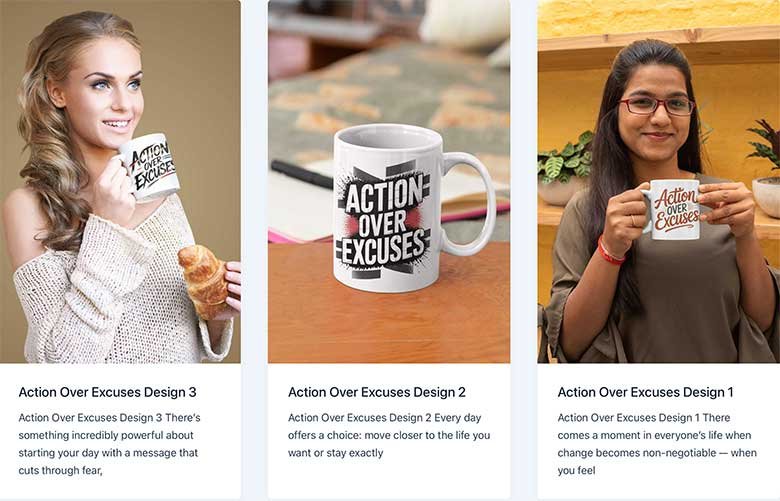
Fill Your Space With Calm, Not Clutter
Premier Print Works makes quality prints, mugs, and shirts for people building a quieter money life. Browse the collection and find what speaks to you today.
Visit Premier Print WorksDisclaimer
The content on this page is for informational and inspirational purposes only. It is not professional financial, investment, tax, legal, insurance, or estate planning advice. The numbers in the example are made up to show how the math works. Prices, fees, and account terms vary and change, and app and email settings differ from one device or service to another. Be careful with unfamiliar emails or links, and never share personal or account details to unsubscribe. Results vary widely from person to person.
I am not a financial advisor, and I am not a licensed tax, legal, or investment professional. I share this information to help people learn about money and see new options. Please treat it as general information only, and talk with a qualified professional about your own situation before making financial decisions.
The stories of Kezia and Daniel are illustrative composite characters created to bring the content to life. They are not real people. Any resemblance to a real person is purely coincidental.
Some links on this page, including links to Premier Print Works and other resources, are affiliate links. If you make a purchase through one of these links, we may earn a small commission at no extra cost to you. We do not own, produce, or control any affiliate products, and we are not responsible for them — we only own and sell the products offered through our own store, Premier Print Works.
All content on A Self Help Hub is the property of Digital Marketing 215 LLC and is protected by copyright law. No part of this page may be copied, reproduced, republished, distributed, or transmitted in any form without prior written permission from the author.